Stealth Clicking in Chromium vs. Cloudflare's CAPTCHA
Triggering control actions from inside Chromium by walking the Accessibility tree — a custom Chromium module called Claw.
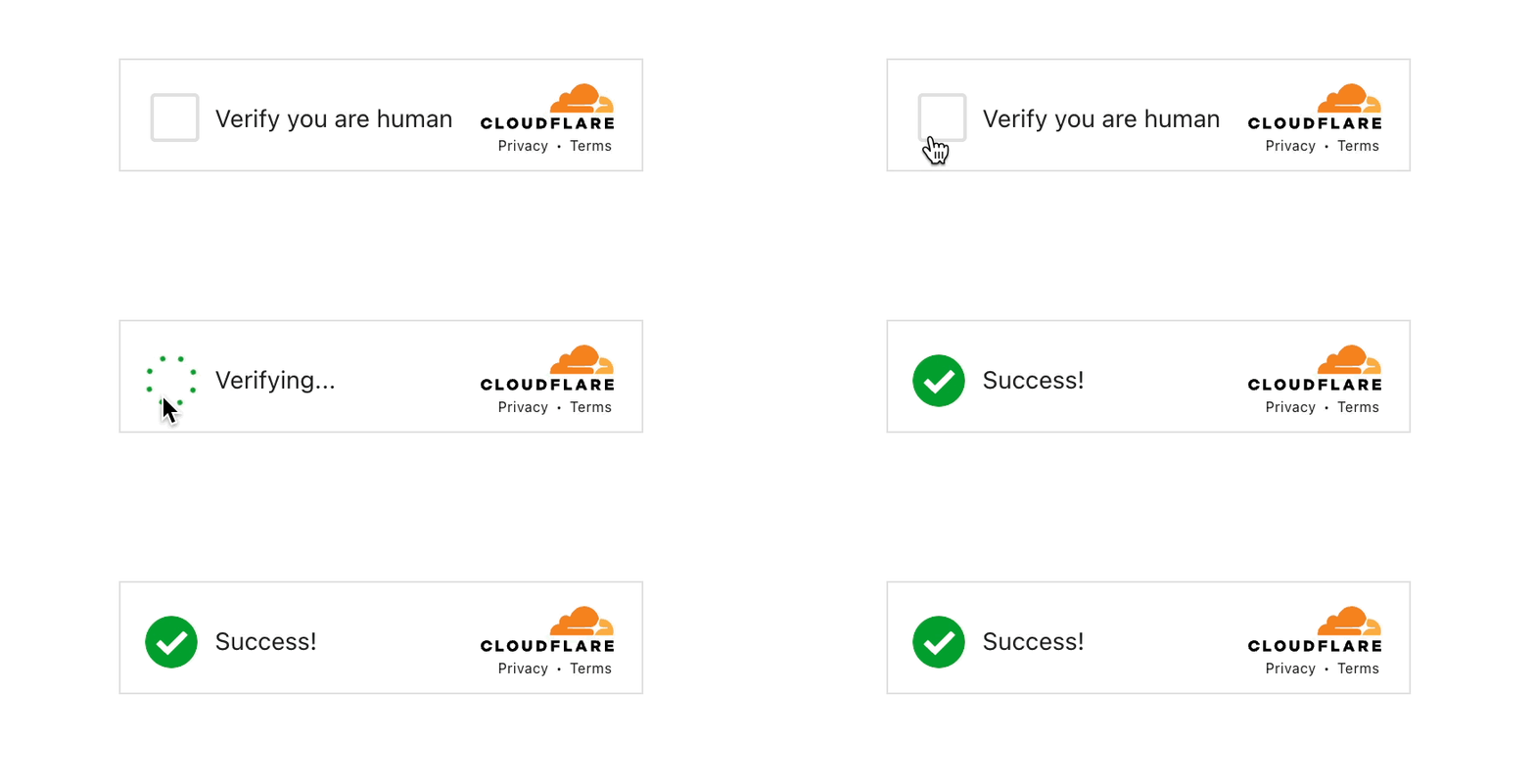
heads up
Sorry for the catchy title — have a read, it’s worth it. This is about understanding defenses; honor Cloudflare’s safeguards and all applicable laws.
TL;DR
Instead of simulating mouse events from outside the browser, I built a custom module called Claw and recompiled Chromium to support it. This lets me trigger a control’s default action from inside the browser by walking its Accessibility (AX) tree The accessibility tree (AX tree) is Chromium's internal semantic representation of a page: every actionable element with its role, name, value, and state. It's what screen readers and assistive tech walk to understand a UI. . It’s a more reliable approach for automation and testing because it operates on the element’s actual semantics rather than brittle screen coordinates.
Why deviate from the norm?
- A. Browser extensions — Powerful, but packaging/permissions and per-profile deployment can be a hassle.
- B. Screen coordinates (PyAutoGUI) — Fast to hack together, but fragile with resizing/scrolling/HiDPI and can’t “see” if the element is actually interactable.
- C. X11/WinAPI events — Works system-wide, but easy to break and can mis-target if focus changes.
- D. CDP Chrome DevTools Protocol — the JSON-over-WebSocket interface Chromium exposes for DevTools and automation tools like Puppeteer and Playwright. Powerful, but it advertises itself to the page in detectable ways. ‘click’ via DevTools — Great for automation, but can be constrained by how instrumentation is detected or gated.
- F.
element.click()in JS — Simple, yet sometimes blocked or behavior-divergent from a real user action.
All of the methods above have valid use cases. Some are harder to scale with concurrency, and others are more likely to be flagged by bot-detection systems. The approach below runs in-process and, because it targets elements via the Accessibility tree rather than screen coordinates, tends to be less brittle as of this writing.
The approach we’ll explore is implemented inside Chromium using the Accessibility (AX) tree, with communication to the running process over HTTP using Crow Crow is a small, header-only C++ micro-framework for building HTTP servers — think Flask, but in C++. Used here to expose endpoints from inside the Chromium process. , a small, neat micro-HTTP framework. The example is a lightweight experiment using my Chromium module, “Claw,” which lives at /third_party/Claw and is built alongside Chromium.
We expose two routes, one to fetch tabs and their frames, and one to emit a click action.
Part 1: Obtaining frame metadata
Here’s the code for the /Tabs route, which retrieves all tabs along with their frames. The function starts by grabbing the last active Browser object and then pulling its tab strip model. For each tab, we obtain the associated WebContents Chromium's per-tab object. Owns the renderer process, navigation state, and frame tree for one tab. . From there, we iterate through every frame within that tab and collect the metadata — this includes the frame_tree_node_id A stable integer Chromium assigns to each frame in a tab. Survives navigations and renderer crashes, which makes it a reliable target for automation. , URL, frame name, and accessibility information.
This metadata is what we’ll use later to target a specific frame when it comes time to perform the click.
CROW_ROUTE(app, "/Tabs")([]() {
  crow::json::wvalue out;

  base::WaitableEvent done(
      base::WaitableEvent::ResetPolicy::MANUAL,
      base::WaitableEvent::InitialState::NOT_SIGNALED);

  content::GetUIThreadTaskRunner({})->PostTask(
      FROM_HERE, base::BindOnce(
          [](crow::json::wvalue* out, base::WaitableEvent* done) {
            // Get the last active browser window.
            Browser* browser = BrowserList::GetInstance()->GetLastActive();
            if (!browser) {
              (*out)["error"] = "no active browser";
              done->Signal();
              return;
            }
            // Get tab strip model.
            TabStripModel* tabs = browser->tab_strip_model();
            if (!tabs || tabs->count() == 0) {
              (*out)["tabs"] = crow::json::wvalue::list();
              done->Signal();
              return;
            }

            // For each tab we get title, url and the list of frames.
            for (int i = 0; i < tabs->count(); ++i) {
              content::WebContents* wc = tabs->GetWebContentsAt(i);
              if (!wc) continue;

              crow::json::wvalue tab;
              tab["title"] = base::UTF16ToUTF8(wc->GetTitle());
              tab["url"]   = wc->GetURL().spec();

              std::vector<crow::json::wvalue> frames;
              wc->ForEachRenderFrameHost([&](content::RenderFrameHost* rfh) {
                if (!IsSafeToSerialize(rfh)) return;

                crow::json::wvalue f;
                f["frame_tree_node_id"] = rfh->GetFrameTreeNodeId().value();
                f["url"]                = rfh->GetLastCommittedURL().spec();
                f["frame_name"]         = rfh->GetFrameName();
                f["ax_tree_id"]         = rfh->GetAXTreeID().ToString();
                f["origin"]             = rfh->GetLastCommittedOrigin().Serialize();
                frames.push_back(std::move(f));
              });

              if (!frames.empty()) {
                tab["frames"] = std::move(frames);
                (*out)["tabs"][std::to_string(i)] = std::move(tab);
              }
            }

            done->Signal();
          },
          &out, &done));

  done.Wait();
  return out;
});
Part 2: the click
After retrieving the target tab and its frame_tree_node_id from the /Tabs route, we traverse that frame’s Accessibility (AX) tree. Once the desired node is located, we trigger its default action ( kDoDefault An AX action that fires whatever an element does on activation — click for a button, navigate for a link, toggle for a checkbox. ), which effectively simulates a user click on that element.
CROW_ROUTE(app, "/Click").methods("POST"_method)
([](const crow::request& req) {
  crow::json::wvalue resp;

  auto j = crow::json::load(req.body);
  if (!j) { resp["error"] = "bad JSON"; return resp; }
  if (!j.has("value")) { resp["error"] = "missing value"; return resp; }

  const int tab_i = j.has("tab")   ? j["tab"].i()   : 0;
  const int fid   = j.has("frame") ? j["frame"].i() : -1;
  const std::string using_ = j.has("using") ? std::string(j["using"].s()) : "css selector";

  XPathQuery q;
  std::string sel_err;
  if (!BuildQuery(using_, j["value"].s(), q, sel_err)) {
    resp["error"] = sel_err;
    return resp;
  }

  base::WaitableEvent done(
      base::WaitableEvent::ResetPolicy::MANUAL,
      base::WaitableEvent::InitialState::NOT_SIGNALED);

  content::GetUIThreadTaskRunner({})->PostTask(
      FROM_HERE, base::BindOnce(
          [](int tab_i, int fid, XPathQuery q,
             crow::json::wvalue* out, base::WaitableEvent* done) {
            // make sure full AX is ON so we have a rich accessibility tree to search.
            content::BrowserAccessibilityState::GetInstance()
                ->AddAccessibilityModeFlags(ui::kAXModeComplete);

            // Resolve active browser / tab / webcontents.
            Browser* browser = BrowserList::GetInstance()->GetLastActive();
            if (!browser) { (*out)["error"]="no browser"; done->Signal(); return; }

            TabStripModel* tabs = browser->tab_strip_model();
            if (!tabs || tab_i < 0 || tab_i >= tabs->count()) {
              (*out)["error"]="tab OOB"; done->Signal(); return;
            }

            content::WebContents* wc = tabs->GetWebContentsAt(tab_i);
            if (!wc) { (*out)["error"]="no WebContents"; done->Signal(); return; }

            // Resolve frame by frame_tree_node_id
            content::RenderFrameHost* rfh = FindFrame(wc, fid);
            if (!rfh) { (*out)["error"]="frame not found"; done->Signal(); return; }

            // Get the AX Manager for that frame.
            auto* rfh_impl = static_cast<content::RenderFrameHostImpl*>(rfh);
            auto* ax_mgr = rfh_impl->GetOrCreateBrowserAccessibilityManager();
            if (!ax_mgr) { (*out)["error"]="AX manager null"; done->Signal(); return; }

            ui::AXNode* root = ax_mgr->GetFromAXNode(ax_mgr->GetRoot());
            if (!root) { (*out)["error"]="AX root null"; done->Signal(); return; }

            // Find a node that matches the query in the AX tree.
            ui::AXNode* node = MatchAX(root, q.tag, q.text_eq, q.text_contains);
            if (!node) { (*out)["error"]="element not found"; done->Signal(); return; }

            // Fire the accessibility "default action" (click for this example).
            ui::AXActionData act;
            act.action = ax::mojom::Action::kDoDefault;
            node->AccessibilityPerformAction(act);

            (*out)["ok"] = true;
            done->Signal();
          },
          tab_i, fid, q, &resp, &done));

  done.Wait();
  return resp;   // either an ok or error
});
Demo
As an example, here’s a run targeting frame 4 on tab 1.
{
  "tabs": {
    "1": {
      "frames": [
        {
          "frame_tree_node_id": 4,
          "url": "https://nopecha.com/demo",
          "ATID": "4B458100DE11DD3188CD95965FC2FB75",
          "frame_name": "",
          "last_origin": "https://nopecha.com"
        },
        {
          "last_origin": "https://challenges.cloudflare.com",
          "frame_name": "",
          "ATID": "A46BF696A31CBA0466A477A03F642577",
          "url": "https://challenges.cloudflare.com/cdn-cgi/challenge-platform/h/b/turnstile/if/ov2//rcv///dark/fbE/new/normal/auto/",
          "frame_tree_node_id": 23
        }
      ],
      "url": "https://nopecha.com/demo",
      "title": "Just a moment..."
    },
    "0": {
      "frames": [
        {
          "last_origin": "http://localhost:40001",
          "frame_name": "",
          "ATID": "800DC2B5392CB6F7006914E5E49DEBA7",
          "url": "http://localhost:40001/Tabs",
          "frame_tree_node_id": 2
        }
      ],
      "url": "http://localhost:40001/Tabs",
      "title": "localhost:40001/Tabs"
    }
  }
}
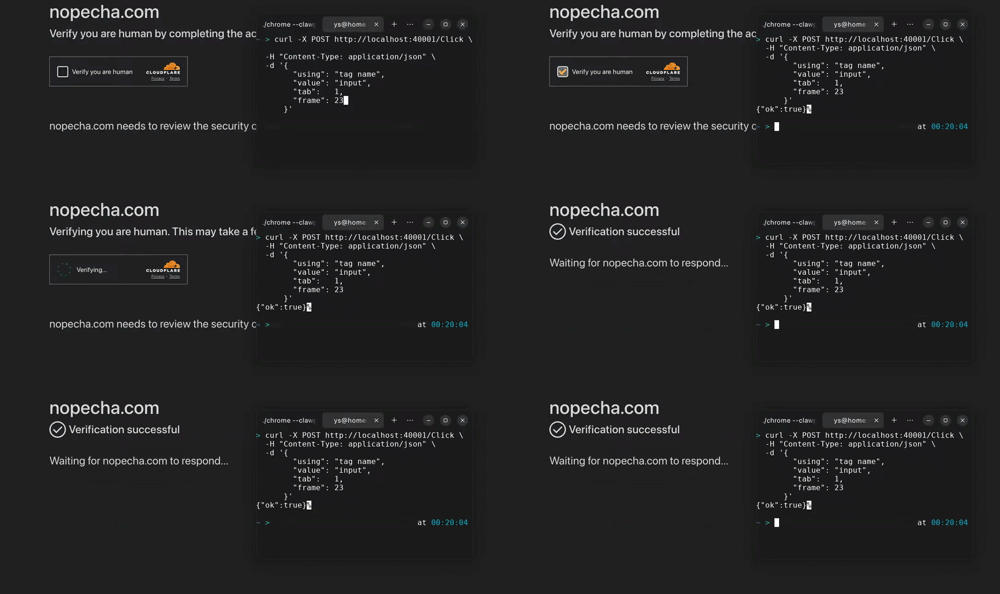
We post a request to click:
curl -X POST http://localhost:40001/Click \
  -H "Content-Type: application/json" \
  -d '{
        "using": "tag name",
        "value": "input",
        "tab":   1,
        "frame": 23
      }'
For those who ask if it works when chromium is in background or headless with proxy — yes, it does either way. It’s in-process and remains a natural click as long as the mouse path isn’t considered part of the equation.